How to track travel expenses on your iPhone, one trip at a time
One trip, one clean ledger. Use dedicated Expense Groups and fixed exchange rates to track daily vacation spending without blowing up your baseline household budget.
Updated
On this page
- Why vacations need dedicated ledgers
- Before departure: what counts as trip spending
- The travel tracking series
- Create a dedicated Expense Group
- Configure the local currency and exchange rate
- Set a fixed-date vacation budget
- Logging on the go abroad
- Pacing at a glance with travel widgets
- Archiving the trip when you get home
- Troubleshooting common travel slips
- The keypad only displays my home currency
- A transaction was logged to the wrong group
- Trip totals vary slightly from my credit card statement
- Everyday living averages increased during travel
- Frequently asked questions
- How do I track travel expenses without linking my bank account?
- How do I log an expense in a foreign currency?
- What exchange rate is best for a travel budget?
- Does travel expense tracking work without an internet connection?
- Can I set a budget for specific trip dates instead of a calendar month?
- What should I do with the trip group after returning home?
Why vacations need dedicated ledgers#
When you step off the plane, the questions you ask about money change completely.
Back home, you care about monthly baselines and keeping grocery bills steady. On vacation, you're standing outside a restaurant wondering: Can we afford the tasting menu tonight? And when you unpack back home, you want one clear number: What did this whole trip actually cost?
Dumping vacation spending into your everyday log ruins both perspectives. Your normal month looks wildly inflated with flight tickets and hotel nights, while figuring out what the trip cost requires an annoying evening of filtering and tagging later.
Using a dedicated travel Expense Group in CashJot keeps vacation spending cleanly separated from your household baseline.
Travel tracking operates completely offline and requires no bank logins. Multi-group ledgers, custom currency conversion, and dated budgets are included in CashJot Plus.
Before departure: what counts as trip spending#
Decide a few ground rules before you leave so your post-trip summary is crystal clear:
- Advance bookings (flights & accommodation): Log advance bookings in the trip group on the day you pay, setting your trip budget start date to match. Alternatively, if you prefer measuring only on-the-ground spending while away, create a secondary group (like "Tokyo: Prepaid").
- Shared travel expenses: CashJot is built for personal spending rather than group bill-splitting. Record only your individual net share of shared meals or accommodation. Running a split app for the group alongside your own ledger works cleanly; our comparison of Tricount, Splitwise, and personal trackers covers the exact setup.
- Foreign cash: Stick to the single-count rule: record either the ATM withdrawal or the individual cash purchases, never both. On the road, recording the ATM withdrawal in local currency at your fixed rate is the simplest workflow, as outlined in our guide to tracking cash spending. Cash often carries much more of a trip than headlines suggest; our country-by-country cash data helps you plan how much notes to carry.
The travel tracking series#
This guide covers the core setup. The deeper questions each have their own focused guide:
Create a dedicated Expense Group#
- On the Log tab, tap the group name at the top to open the group picker.
- Tap New Expense Group and name it after your destination (e.g., "Tokyo 2026" or "Summer in Italy").
- Select this group whenever recording travel purchases. CashJot remembers your active group for subsequent entries.
Your primary everyday ledger stays completely untouched while you travel.
Configure the local currency and exchange rate#
Open your group editor, tap Add Currency, select the local currency, and enter your exchange rate against your base currency:
- Use a single fixed rate throughout the trip. Skip fluctuating live feeds. Card issuers apply tiny daily spread variations, but a stable fixed rate keeps mental arithmetic effortless when looking at price tags.
- Where to find a practical rate: Check the mid-market rate on departure day and round it to a clean number you can calculate in your head (e.g., 1 USD = 150 JPY), or pad it slightly if you prefer budget totals to err on the safe side.
Every entry will display both the local currency amount and your home-currency equivalent.
Set a fixed-date vacation budget#
- In the Budgets tab, create a new budget assigned to your trip group.
- Set Repeat to Never.
- Select your exact departure and return dates.
- Enter your total target spending allowance for the trip.
This creates a fixed-window budget: your spending accumulates during your trip and freezes the day you return, giving you real-time pacing feedback whenever you're deciding whether to splurge.
Logging on the go abroad#
Log purchases at the counter in two seconds: amount, category tag, and save. The currency selector beside the keypad toggles between your group's currencies (e.g., entering 1,400 JPY records in yen and converts automatically at your fixed rate).
- Full offline reliability: Transactions save instantly to your device with zero cellular roaming required, syncing to iCloud whenever connectivity resumes.
- Automated Apple Pay capture: In-store contactless taps can log themselves automatically via iOS Shortcuts. Multi-currency travel cards (Wise, Revolut) are detected in their local charged currency automatically.
Pacing at a glance with travel widgets#
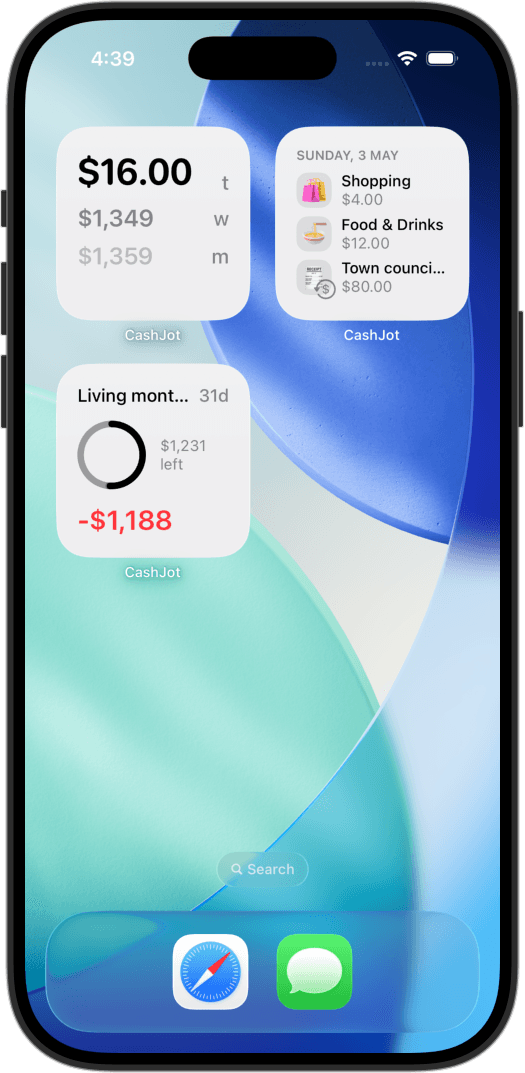
Your travel group filters across all app views: monthly reports, calendar views, and home-screen widgets. Placing a Budget Progress widget scoped to your trip on a dedicated travel focus screen gives you instant pacing awareness without opening the app.
Archiving the trip when you get home#
When your trip wraps up, open the group settings and tap Archive Group.
The ledger moves to an Archived section at the bottom of the group picker, out of the way of daily life, while safely preserving all historical transactions, conversion rates, and category totals for future reference.
Troubleshooting common travel slips#
The keypad only displays my home currency#
The target currency hasn't been added to your active group yet. Open the group editor, tap Add Currency, and define your exchange rate.
A transaction was logged to the wrong group#
Open the transaction, tap edit, and reassign its Expense Group. For multiple misplaced entries, use the search filter on the Log tab, select the target entries, and tap Move to Expense Group.
Trip totals vary slightly from my credit card statement#
This variance is completely normal. Bank statements reflect daily network conversion spreads and foreign transaction fees, whereas your trip budget uses a single fixed rate for predictable daily pacing.
Everyday living averages increased during travel#
A few vacation expenses were likely logged to your default everyday group by mistake. Check your calendar, select the misplaced transactions, and move them over to your travel Expense Group.
Frequently asked questions#
How do I track travel expenses without linking my bank account?#
Log expenses at the point of sale in a dedicated travel Expense Group. Entries take two seconds to record, and in-store card payments can log themselves via Apple Pay Shortcuts automations. Because no bank APIs are involved, tracking works seamlessly abroad without network dependencies.
How do I log an expense in a foreign currency?#
Add the foreign currency to your trip's Expense Group with a fixed exchange rate. When logging, toggle the currency selector beside the keypad. CashJot records both the foreign amount and home currency equivalent.
What exchange rate is best for a travel budget?#
Use a single fixed exchange rate set on departure day. Round the mid-market rate to a clean number you can compute mentally, or bump it up slightly so your budget totals stay comfortably conservative.
Does travel expense tracking work without an internet connection?#
Yes. All transactions are written directly to local on-device memory. iCloud synchronization happens automatically in the background whenever Wi-Fi or cellular reception is available.
Can I set a budget for specific trip dates instead of a calendar month?#
Yes. Set the budget Repeat setting to Never and choose your departure and return dates. Progress tracks actively during the trip and locks upon return.
What should I do with the trip group after returning home?#
Archive the Expense Group. It stays safely stored in the Archived section with all historical totals intact, keeping your active group list focused purely on daily life.
Track daily spending without the chore
2-second keypad logging, automatic Apple Pay capture, and live home screen widgets. Free, private, and 100% offline.