
Your bills, next to the rest of your spending
Schedule rent, streaming services, and memberships once. Get advance renewal reminders, skip paused months, and see what your fixed commitments cost across the whole year.


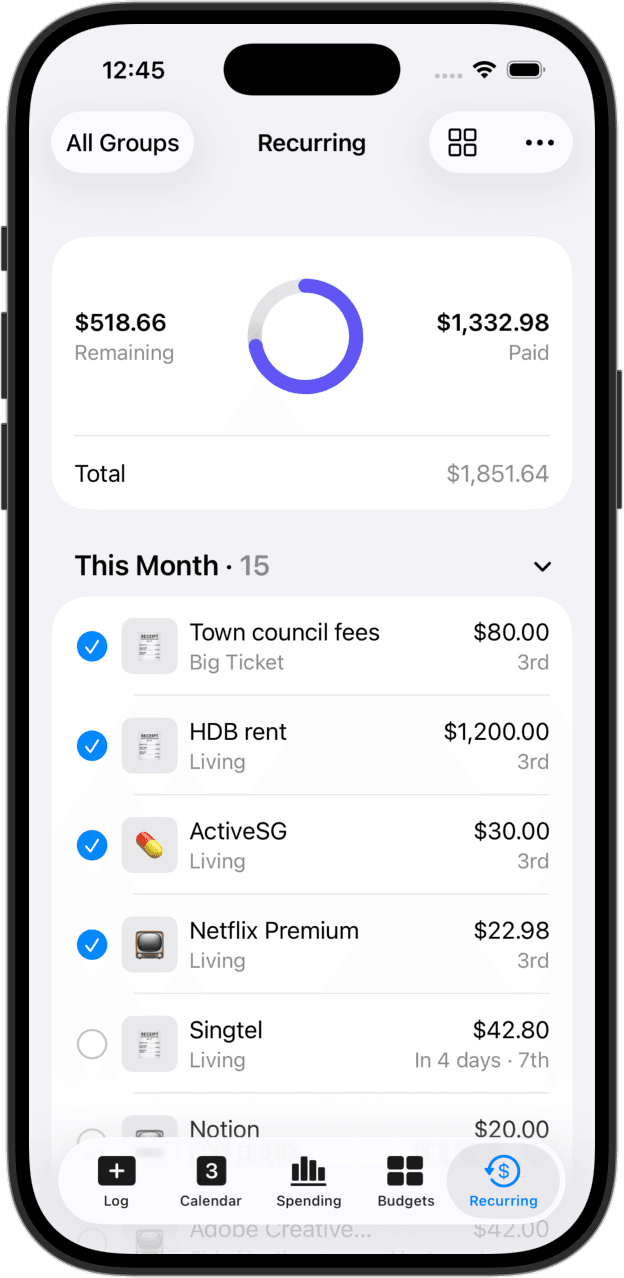
Schedule once, logs automatically
Add recurring expenses on weekly, monthly, or yearly schedules. When the due date arrives, CashJot records the entry automatically, handling end-of-month dates seamlessly across shorter months.
Side by side with daily spending
No need for a separate subscription app. Recurring bills live right alongside your daily coffee and groceries. Reports separate fixed overhead from variable spending, and budgets let you include or exclude bills with a single switch.
Advance renewal reminders
Set alerts for the due date, 1 day before, 3 days before, or a week in advance. Multiple bills due on the same day combine into a single quiet morning notification.
Upcoming bills on your home screen
The Upcoming Recurring widget shows your next bills with day countdowns right on your home screen, so renewals never catch you off guard.
Skip or adjust individual cycles
Pause a payment when a subscription is on hold, or edit the amount for a promotional month without changing your recurring schedule. Past logs stay accurate.
See your true annual cost
Monthly and yearly reports show exactly what your recurring commitments add up to over twelve months, giving you clear visibility before signing up for new services.
Private recurring tracking, without bank logins
Many subscription apps ask for your online banking username and password to scan your statements. CashJot takes a private, intentional approach: you schedule your known bills once, and they record automatically on due dates.
Your data stays entirely on your iPhone and syncs via your personal iCloud account, with zero bank logins, no account creation, and no third-party tracking.
Frequently asked
Yes. Add your recurring bills once with their schedules and amounts. CashJot records them on their due dates and sends advance reminders, all without asking for your banking credentials.
Open the subscription and tap Change Plan. The previous pricing archives cleanly and the new amount begins on your next cycle, keeping your historical reports accurate.
Yes. View the upcoming schedule and tap Skip for that cycle. Your future occurrences continue as usual.
No. CashJot is a spending tracker and reminder tool. Your actual payments continue through your bank or service provider.
Yes. If you enable notifications, iCloud keeps your recurring bills and scheduled reminders in sync across your Apple devices.
You can track up to 3 recurring expenses for free. Unlimited recurring schedules, advance reminders, and annual reports are included in CashJot Plus.
More ways people use CashJot
- Simple budgeting with real-time pacing
- Home and lock screen spending widgets
- Private on-device tracking with no bank login
From the blog
Schedule your bills once to see your true annual costs.