
An expense tracker that never asks for your bank login
No account signup, no tracking servers, and no bank aggregators. Your spending log stays on your device and syncs privately through your personal iCloud.


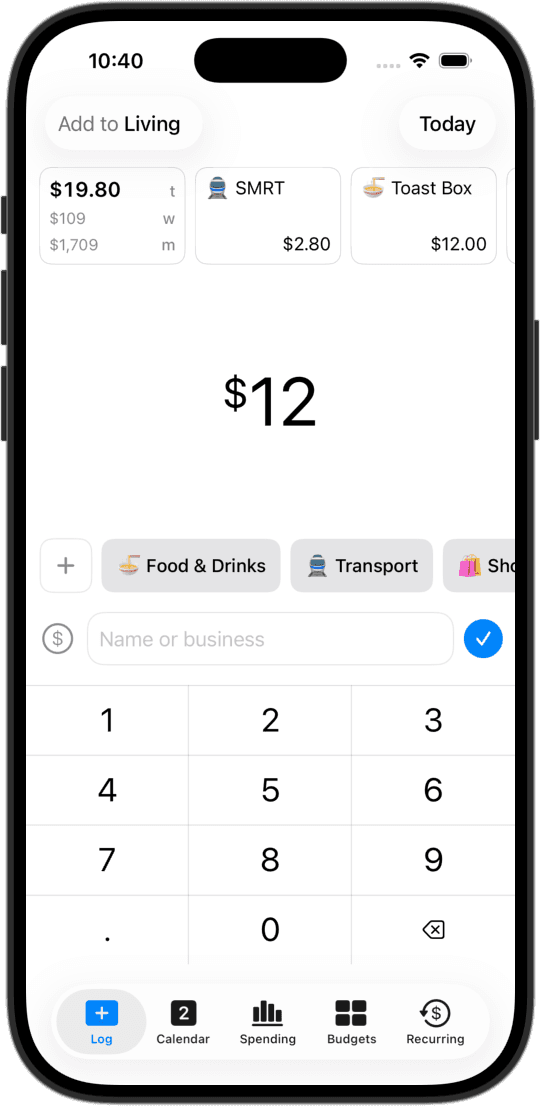
No signup, no account
No email address, no passwords, and no verification codes. Download CashJot from the App Store and start logging your first expense in seconds.
No bank credentials or aggregators
CashJot never asks for your banking username or password. There are no middleman aggregators scraping your account feeds. Everything is logged directly on your iPhone or captured via on-device Shortcuts.
Works 100% offline
Log purchases on flights, underground subways, or anywhere without cell service. Entries save instantly to device storage and sync quietly when you're back online.
Syncs through your personal iCloud
Your data syncs seamlessly across your Apple devices using your private Apple iCloud (CloudKit). Your financial entries never pass through company servers or data brokers.
Export your data anytime
Your data belongs to you. Export your entire transaction history to CSV whenever you want: dates, amounts, currencies, tags, groups, and notes.
Honest trade-offs of local-first tracking
Because CashJot doesn't connect to your bank, it won't automatically scrape historical statements or scan your accounts in the background. If you prefer an app that archives every bank feed automatically, a bank-linked aggregator fits that workflow.
For contactless spending, Apple Pay capture gives you the speed of automation with complete privacy: the Shortcuts trigger runs entirely on your iPhone, recording transactions directly to your local database without third-party servers.
Want an extra layer of security? You can lock CashJot behind Face ID or Touch ID using iOS. Read our Face ID setup guide.
Frequently asked
No, by design. Because CashJot never connects to your bank, it cannot scan your accounts. To track subscriptions privately, you can schedule known recurring bills once to receive advance renewal reminders.
Transactions, recurring bills, categories, Expense Groups, and budgets sync across your Apple devices through your private iCloud account (Apple CloudKit). CashJot maintains no external server or database.
Simply sign in with your Apple Account on your new phone and download CashJot. Your history restores automatically through iCloud.
Yes. CashJot generates clean CSV exports for any date range or Expense Group, including foreign currencies, tags, and notes.
No. There is no signup, no email prompt, and no profile. Open the app and begin logging immediately.
More ways people use CashJot
- Fast daily logging for everyday spending
- Automatic Apple Pay expense capture setup
- Securing your spending log with Face ID
From the blog
Track your spending without bank logins or passwords.