How to Track Cash Spending on iPhone (Without Double-Counting)
Bank feeds never see cash. The golden rule that keeps cash tracking painless is simple: log the ATM withdrawal or log the individual purchases, but never both.
By Pierre Teo · Updated
On this page
- Count it once
- The simple system: the withdrawal is the expense
- The full system: individual purchases are the expenses
- What to do when you forget
- Fast iPhone workflows for cash entries
- Why cash tracking remains essential
- Handling cash in bank-linked apps
- Frequently asked questions
- Do ATM withdrawals count as expenses?
- Is an ATM withdrawal an expense or a transfer?
- What should I do if I cannot remember what cash was spent on?
- Do I need to save paper receipts to track cash?
Choose the approach that matches your spending patterns, log expenses at the point of sale, and cash stops being the missing gap in your budget.
Count it once#
In a bank-linked budgeting app, transaction trails end at the ATM. The feed logs an "ATM Withdrawal: $100" and stops; how those bills were spent (groceries, transport, dining, or a haircut) remains untracked.
Most cash-tracking confusion stems from a simple accounting error: counting both the withdrawal and the purchases. Doing so turns a $100 withdrawal spent on groceries into $200 of reported spending. Conversely, ignoring cash entirely causes money to vanish from your records.
The golden rule of cash: An ATM withdrawal and the purchases it pays for represent the exact same money: record one or the other in your budget, never both.
| Method | How It Works | Best For |
|---|---|---|
| Simple System | Log the ATM withdrawal as a single expense; ignore individual cash purchases. | People who use cash only occasionally for small incidental expenses. |
| Full System | Treat the ATM withdrawal as a transfer; log every cash purchase at the counter. | Cash-heavy routines, farmer's markets, and cash-dominant travel destinations. |
The simple system: the withdrawal is the expense#
Log the ATM withdrawal as a single expense the moment you take cash from the machine (e.g., "$100 - Cash"), without recording individual cash transactions later.
If a withdrawal is earmarked for a specific purpose (such as taking out $150 specifically for a week of groceries), you can tag the withdrawal directly as "Groceries" and consider it done.
Trade-offs: You trade category resolution for convenience. Your monthly report displays a general cash total without granular itemization, but you gain maximum simplicity: one quick entry per ATM visit and zero daily upkeep.
The full system: individual purchases are the expenses#
Record each cash purchase at the counter exactly as you would a card payment: amount, category tag, and save. The ATM withdrawal itself is excluded from your spending totals.
In an account-based app, the withdrawal is treated as a transfer (moving funds from checking to a cash wallet); in a lightweight spending log, the withdrawal is simply not recorded as an expense.
Trade-offs: This approach requires logging each cash purchase as you pay. Its success depends entirely on speed: the habit holds when logging takes just a couple of seconds while standing at the counter.
CashJot operates without mandatory account balances, meaning a cash transaction takes the exact same two seconds as a card purchase: enter the amount, tap a tag, and save.
What to do when you forget#
If you went several days spending cash from your wallet without logging anything, avoid the frustration of trying to reconstruct every receipt. Instead, perform a quick wallet count:
- Check your recent ATM withdrawal amount.
- Count the physical cash remaining in your wallet.
- Subtract any purchases you already logged.
- Enter the remaining difference as a single balancing entry tagged "Untracked Cash" (e.g., "$35 - Untracked Cash").
Your total monthly spending is instantly reconciled, and the entire fix takes under a minute.
An approximate reconciling entry keeps your momentum going, whereas tedious reconstruction often causes people to abandon tracking entirely.
Fast iPhone workflows for cash entries#
A few practical setups keep cash logging frictionless on iOS:
- Configure dedicated tags. In the simple system, a single "Cash" tag captures the withdrawal. In the full system, use standard category tags ("Groceries", "Transport") without needing to distinguish cash from card payments.
- Save recurring cash purchases as favourites. For routine cash expenses (like a morning coffee, market stall, or regular transit fare), save the entry as a favourite to log it with a single tap, as covered in our quick logging guide for CashJot.
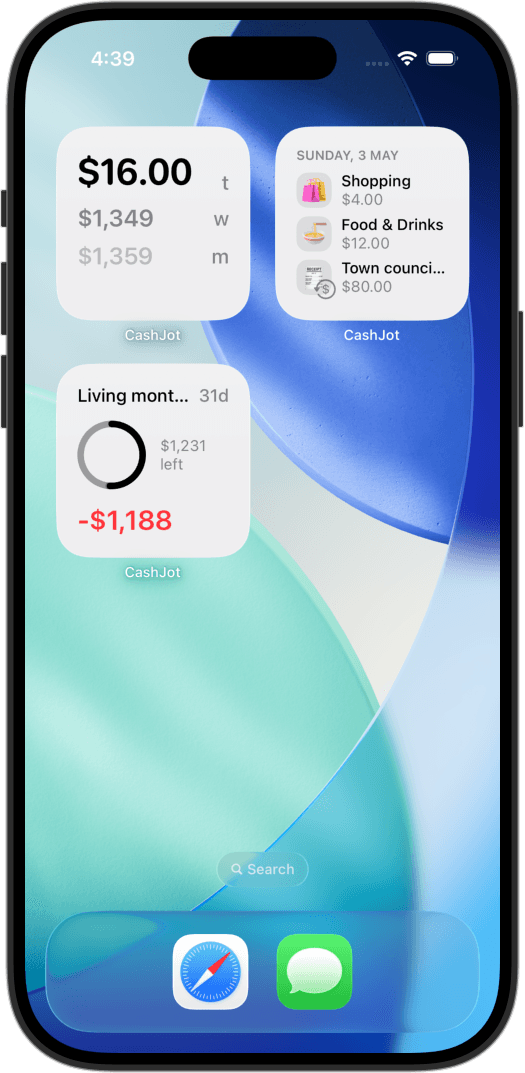
- Use home-screen widgets as visual cues. A home-screen spending widget with today's total makes forgotten cash expenses noticeable while the purchase is still fresh in your mind.
Why cash tracking remains essential#
Cash remains concentrated in the small, frequent transactions that are easiest to forget by the end of the day.
In the United States, the Federal Reserve's 2026 Diary of Consumer Payment Choice notes that cash continues to represent roughly one in seven consumer transactions.
In the euro area, the ECB's SPACE study reports cash accounting for 52% of all point-of-sale transactions and 68% of payments under five euros.
In practice, daily physical cash is easiest to record with a quick amount and tag right at the counter.
Handling cash in bank-linked apps#
Bank-linked apps provide varying workarounds for cash:
- YNAB supports creating an unlinked manual "Cash" account or assigning withdrawals directly to a dedicated budget category (YNAB cash guide).
- Monarch suggests maintaining an unlinked manual account named "Cash" for hand-entered transactions (Monarch documentation).
- Copilot allows manual cash accounts, though manual edits can require occasional balance adjustments (Copilot guide).
If the vast majority of your spending is on credit cards, manual accounts inside automated apps provide a reasonable workaround. However, if cash purchases make up a substantial share of your monthly spending, our guide on manual tracking versus bank feeds breaks down the practical trade-offs.
Frequently asked questions#
Do ATM withdrawals count as expenses?#
Only if you choose not to log individual cash purchases. In the simple system, the withdrawal itself is recorded as the expense. In the full system, individual purchases are logged as expenses, and the ATM withdrawal is treated as a transfer from your bank to your wallet.
Is an ATM withdrawal an expense or a transfer?#
If you track each cash purchase separately, the withdrawal is a transfer between accounts. If you prefer not to track individual cash receipts, treat the withdrawal as an expense to ensure the total is reflected in your budget.
What should I do if I cannot remember what cash was spent on?#
Count the remaining cash in your wallet, subtract what you already logged from your initial withdrawal, and record the difference as a single entry tagged "Untracked Cash". This reconciles your books in seconds without guesswork.
Do I need to save paper receipts to track cash?#
No. Saving paper receipts often leads to backlogs and abandoned budgets. Entering the amount and category at the point of payment takes only a couple of seconds and keeps your records up to date in real time.
Written by Pierre Teo, maker of CashJot.
Track daily spending without the chore
2-second keypad logging, automatic Apple Pay capture, and live home screen widgets. Free, private, and 100% offline.