No Accounts, No Cloud Servers: How Local-First Expense Tracking Works on iPhone
No accounts, no email logins, and zero transaction data stored on remote cloud servers. What local-first tracking changes for your daily privacy, plus the real trade-offs to know.
By Pierre Teo · Published
On this page
- What "no account" changes
- Where your data lives and how it syncs
- What offline-first means in daily use
- Backups and device migration
- Practical trade-offs
- Architecture comparison
- When an account-based app fits better
- Frequently asked questions
- Can I use an expense tracker without creating an account?
- Does an offline expense tracker still back up my data?
- What happens to my data if an offline app is discontinued?
Operating without a centralized server changes the entire architecture of expense tracking: where data lives, how synchronization works across devices, backup strategies, and the functional trade-offs that follow.
What "no account" changes#
Most mobile apps require an account because they operate as centralized cloud services. Your transactions stream to company servers, and your login credentials serve as the key.
A local-first tracker operates on a different model. The application runs locally on your device, financial records remain in local files, and no third party has visibility into your spending.
In CashJot, this architecture means no email registration, no profile creation, and no bank logins at any stage. Plus subscriptions are managed through the Apple App Store and tied directly to your Apple Account, meaning even purchasing upgrades never requires creating an external account with us.
Where your data lives and how it syncs#
Your transactions are saved directly to on-device storage.
When iCloud is enabled, entries synchronize securely across your other devices signed in to the same Apple Account, utilizing Apple's native CloudKit infrastructure. The Settings screen displays synchronization states in real time: Synced with iCloud, Syncing…, Not syncing to iCloud, No iCloud account, or No network available.
Data stored in iCloud resides in your private Apple storage partition, encrypted and inaccessible to CashJot. If iCloud sync is turned off, the app continues functioning seamlessly on your device, with records staying entirely local.
What offline-first means in daily use#
Because write operations target local memory first, logging expenses remains instant regardless of location: in flight mode, underground transit stations, or while traveling abroad without a cellular data roaming plan.
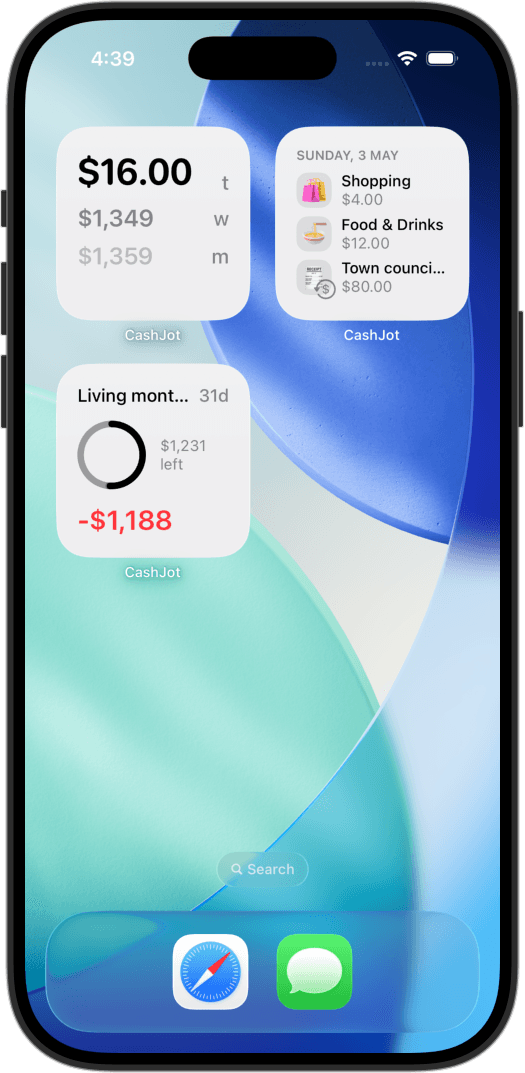
Interactive home-screen widgets read directly from local storage, and automated Apple Pay capture operates on-device. When network connectivity resumes, iCloud synchronization reconciles changes automatically.
In daily use, the absence of server latency means no loading spinners on the entry keypad, no "connection failed" alerts when saving a receipt, and no risk of a slow network delaying a quick entry at the checkout counter.
Backups and device migration#
Understanding your backup strategy early protects long-term historical records:
- With iCloud sync active, any new iPhone signed in to your Apple Account downloads your ledger automatically during initial launch.
- With iCloud sync disabled, records exist strictly on that single device. Standard encrypted iOS backups (via Finder or iCloud Device Backup) protect your data during device upgrades.
- Exporting CSV backups. You can generate a clean CSV export via Settings → Export Transactions containing timestamps, amounts, currencies, categories, Expense Groups, and notes. Regular exports ensure your financial history remains portable independent of any single platform.
Practical trade-offs#
A local-first, no-account architecture involves clear boundaries:
- No browser-based web dashboard. Records reside on your Apple devices via iCloud, not in a web browser.
- No cross-platform shared ledgers. Multi-user shared budgets require multi-platform server syncing or a shared document format.
- No automated bank feeds. Transactions exist because you entered them or your device captured an Apple Pay payment locally; records are never scraped from bank portals.
- Backups rely on your Apple Account. If your iCloud storage is full or disabled, cloud synchronization pauses until storage is freed or re-enabled.
Architecture comparison#
| Account-based cloud app | No account, iCloud-only (CashJot) | Spreadsheet file | |
|---|---|---|---|
| Data location | Vendor servers and local cache | On-device storage and private iCloud | Local drive or chosen cloud storage |
| Data access | Vendor and authorized third parties | Private to you and Apple terms | Private to you and storage provider |
| Device replacement | Log in on new device | Sign in with same Apple Account | Open file on new device |
| Vendor shutdown | Export before servers close | App continues running locally | File remains intact forever |
| Offline capability | Often read-only or queued | Fully functional offline | Varies by spreadsheet software |
| Multi-user sharing | Native shared accounts | Not supported | Supported via cloud sharing |
When an account-based app fits better#
If you share a household budget across iOS and Android devices, require a full desktop web portal, or prioritize automated bank account aggregation, an account-based cloud service is the appropriate choice.
Before connecting your accounts, our guides on what connecting a bank shares and whether manual tracking is worth it explore the security and daily workflow trade-offs in depth.
Conversely, a local-first, no-account model provides complete sovereignty: your financial log remains strictly on your device, protected by Face ID biometric authentication.
Frequently asked questions#
Can I use an expense tracker without creating an account?#
Yes. Local-first expense trackers, including CashJot, store your records directly on your device without requiring registration.
Synchronization and backups are handled through your personal iCloud storage rather than external company databases.
Does an offline expense tracker still back up my data?#
Yes, provided iCloud synchronization or standard iOS device backups are active.
When iCloud sync is enabled, data reconciles automatically across devices on the same Apple Account. Regular CSV exports provide an additional platform-independent backup.
What happens to my data if an offline app is discontinued?#
Because transactions are stored locally on your device rather than on remote servers, the application continues functioning normally even if developer servers shut down.
Exporting records to CSV guarantees your history remains accessible indefinitely.
Written by Pierre Teo, maker of CashJot.
Track daily spending without the chore
2-second keypad logging, automatic Apple Pay capture, and live home screen widgets. Free, private, and 100% offline.