Tricount, Splitwise, or a plain expense tracker: which one fits your trip?
Split apps track who owes whom. An expense tracker tracks what you actually spent. Pick by the question you will want answered after the trip.
By Pierre Teo · Updated
On this page
- Which app should you use for your trip?
- What happened to Tricount?
- Where Splitwise's free tier ends
- Splid, the quiet third option
- The question split apps don't answer
- The "Run Both" system: the net-share rule
- Which tool for which trip?
- Frequently asked questions
- Is Tricount completely free?
- What happened to Tricount Premium?
- Can I export my data from Tricount?
- Does Splitwise still limit free daily expenses?
- Do I need both a split app and an expense tracker?
During a group vacation, the urgent money question is simple: Who owes whom, and how do we settle up?
Weeks later, when the credit card statement arrives in your inbox, the question changes completely: What did this trip actually cost me?
Tricount and Splitwise are built for the first question. An expense tracker is built for the second. Most of the frustration travellers voice online comes from expecting one kind of tool to answer the other's question. As one user on r/Fire put it while hunting for a clean household ledger: "Every app I find (like Splitwise) is focused on who owes who money" (r/Fire thread).
Which app should you use for your trip?#
- If your friends already have Splitwise: Stick with Splitwise, but be prepared for the free 4-expense daily cap on busy days.
- If you want free, unlimited group splitting with no accounts: Choose Tricount (just note that CSV exports and spending stats were removed).
- If you want complete privacy and full offline splitting: Choose Splid (a clean $3.99 one-time unlock, no subscriptions).
- If you need to know your true personal spending: Run a personal expense tracker like CashJot alongside the group app using the net-share rule.
What happened to Tricount?#
Tricount is a long-standing Belgian bill-splitting app, acquired by Dutch neobank bunq in May 2022 (bunq announcement). In 2024, it relaunched as a rebuilt mobile app with a completely new pricing structure: the old Premium subscription was discontinued, and the app became free with zero in-app purchases (US App Store listing). Unlimited tricounts, unlimited expenses, no paywall.
However, going free meant removing power features rather than unlocking them. Tricount's official help page lists the former Premium features that were retired (Tricount help article):
- Export to CSV and PDF: Removed, with no return announced.
- Personal mode (the private unshared ledger): Removed, with no return announced.
- Spending statistics: Removed, listed as "planned for a future update".
- Saved custom splits: Removed, listed as "planned for a future update".
bunq now monetizes Tricount through its banking ecosystem rather than app subscriptions. The app actively promotes paying with a bunq card so "the expense gets automatically added to your tricount", and a recent update added the ability to import bunq payments directly as expenses. The App Store privacy label lists identifiers used to track you, along with contact info, identifiers, and diagnostics linked to your identity.
None of this makes Tricount a bad product. For pure group bill-splitting, it remains one of the best free tools available: unlimited participants, multi-currency support, clear settle-up suggestions, offline entry, and invite links that let friends join without creating full accounts. It maintains a 4.9 rating from 6.8K reviews on the US App Store, and the company reports 21 million global users (tricount.com).
The shift is simply that Tricount became a dedicated settle-up tool and stopped being a personal spending tracker. If your post-trip goal is answering "what did I spend?", the features that answered it (statistics, CSV exports, a personal ledger) are the ones that were removed.
- Cost to run: 100% free with no subscriptions or paywalls.
- Best for: Group trips where everyone wants a free, easy settle-up link without account friction.
- The catch on mobile: No CSV export, no private personal mode, and no spending analytics.
Where Splitwise's free tier ends#
Splitwise is the incumbent with the strongest network effect: the friends you are traveling with likely already have it installed. It is account-based, synchronizes smoothly across iOS, Android, and web, and manages long-term shared living costs (roommates, shared utility bills) just as comfortably as holidays.
Its free tier, however, has a firm daily ceiling. Splitwise's help center confirms that "free users can add up to 4 expenses each day" (Splitwise Pro help article).
On an active travel day (morning coffee, transit tickets, museum admission, lunch, and gelato), you will hit that 4-expense cap before dinner begins. Splitwise Pro removes this limit and adds bank transaction imports, currency conversion, receipt scanning with line-item splitting, charts, search, and default splits.
Splitwise has no single public Pro price: the US App Store listing displays monthly tiers ranging from $2.99 to $4.99 and annual tiers from $29.99 to $39.99, noting that pricing varies by country and promotion (US App Store listing). Its privacy label lists location, contact info, user content, identifiers, usage data, and diagnostics linked to your account.
- Cost to run: Free tier (capped at 4 entries/day); Pro subscriptions range from $2.99–$4.99/mo or $29.99–$39.99/yr.
- Best for: Ongoing shared bills (roommates, couples) and travel groups who already use Splitwise.
- The catch on mobile: Daily 4-expense limit runs out fast during active vacations; requires everyone to have an account.
Splid, the quiet third option#
Splid is an indie bill-splitting app from a German developer that takes the opposite architectural approach: no account required, no subscription.
The App Store listing states plainly that "there's no sign-up required" and "Splid works on and offline" (US App Store listing). Groups can stay completely local on one phone or sync between devices, it supports over 150 currencies, and its full version is unlocked through a single one-time purchase: Splid Plus for $3.99 (with a smaller $2.99 tier for two groups).
- Cost to run: Free basic version; one-time $3.99 purchase for unlimited groups (no subscriptions).
- Best for: Privacy-conscious travel groups who want lightweight offline bill splitting without accounts.
- The catch on mobile: Smaller network; requires everyone in your travel group to install the app.
The question split apps don't answer#
Tricount, Splitwise, and Splid all model the exact same concept: a shared ledger of debts between people.
None of them models your personal spending across the whole trip:
- The solo espresso or souvenir that was never part of the group bill.
- Your individual net share of the shared Airbnb and group dinners.
- The airport sandwich you grabbed on the way home.
That requires a personal ledger, which is an entirely different tool.
Dedicated travel budget apps like TravelSpend cater specifically to personal trip tracking. TravelSpend is free for basic logging, with Premium priced at $4.99/month, $24.99/year, or $59.99 lifetime (US App Store listing). It requires an account for cloud sync, and its App Store privacy label includes third-party advertising data used to track you.
A dedicated local-first expense tracker accomplishes the exact same job without privacy compromises, works fully offline, and continues serving as your daily spending log after the vacation ends.
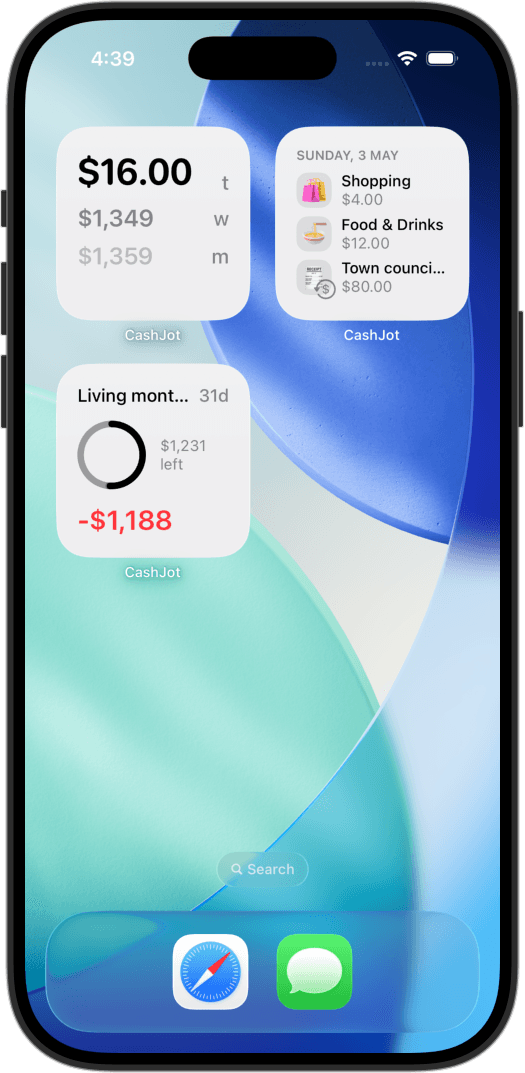
This is where CashJot fits: a personal spending log with no account required and no bank login. Your vacation lives in its own dedicated Expense Group with a fixed-date budget and a custom foreign exchange rate. Logging takes two seconds, in-store Apple Pay taps can capture themselves on-device, and your data stays on your phone and private iCloud. Multiple expense groups are part of CashJot Plus.
The "Run Both" system: the net-share rule#
For group trips, the most practical approach is rarely either-or. You run a split app for the group to settle debts, and your own expense tracker for your personal budget, connected by one golden rule from our travel tracking guide: record only your net share.
- A friend paid for dinner: If your share is 35 SGD in Tricount, enter 35 SGD into your personal tracker.
- You paid the entire bill: If you paid 150 SGD for the table and Splitwise shows others owe you 115 SGD, log only your net 35 SGD in your tracker (not the full 150).
- Solo purchases: Log them directly into your personal tracker; they never touch the group split app.
This takes ten seconds per shared expense. When the trip wraps up, the split app settles who owes whom down to the cent, while your personal tracker holds the accurate, real-world answer to "what did this trip cost me?"
Which tool for which trip?#
| Your situation | Best fit | The tradeoff to know |
|---|---|---|
| Group trip, everyone already on Splitwise | Splitwise | Free tier caps at 4 expenses/day; Pro pricing varies |
| Group trip, starting fresh, budget-conscious | Tricount | Free & unlimited, but no CSV export, personal mode, or stats |
| Group trip, privacy-first, offline | Splid | Small network; requires everyone to download the app |
| Solo travel | Personal expense tracker | Bill-splitting features are unnecessary overhead |
| Group trip where you want your personal total | Split app + personal tracker | Two apps, one rule: log only your net share |
Frequently asked questions#
Is Tricount completely free?#
Yes. Since its relaunch under bunq, Tricount has no paid subscription and no in-app purchases: you get unlimited tricounts and expenses for free. However, going free involved removing former Premium features: CSV/PDF export, personal mode, statistics, and saved custom splits were removed, with only statistics and custom splits planned for future updates.
What happened to Tricount Premium?#
Tricount deprecated its Premium tier during the app rebuild and offered existing subscribers complimentary access to bunq Pro. bunq now finances the app through its banking services, which is why the app promotes bunq payment cards and in-app transaction imports.
Can I export my data from Tricount?#
Not currently. CSV and PDF export were previously Premium features and were removed during the relaunch, with no timeline for their return. If having a permanent export of your spending is important, keeping a personal expense tracker alongside Tricount ensures you retain an independent CSV record of your trip.
Does Splitwise still limit free daily expenses?#
Yes. Splitwise's official help center states that free users can add up to 4 expenses per day. Unlimited logging requires a paid Splitwise Pro subscription. Because the limit applies per day rather than per trip, active vacation days quickly hit the threshold.
Do I need both a split app and an expense tracker?#
If you are traveling with a group and want to know your personal vacation cost at the end, yes. The split app acts as the group's shared IOU ledger to settle debts. Your personal expense tracker records your net share of group costs plus all your solo purchases. Each tool handles the specific job it was designed for.
Written by Pierre Teo, maker of CashJot.
Track daily spending without the chore
2-second keypad logging, automatic Apple Pay capture, and live home screen widgets. Free, private, and 100% offline.