How to track spending with ADHD when budgeting apps haven't stuck
Record what you spend before you set any budget, keep today's total where your eyes already go, and cut each entry to one action at the counter. When a gap happens, start again from today.
By Pierre Teo · Published
On this page
- Small money tasks slip, and research backs that up
- Most budgeting apps depend on remembering later
- Track first and leave the budget for later
- Put today's total where your eyes already go
- Cut each entry to one action at the counter
- Let Apple Pay taps arrive without remembering
- Take recurring bills off your mental to-do list
- A missed day doesn't undo the habit
- Keep categories few
- Add a budget only after you see your real baseline
- Frequently asked questions
- Is there a budgeting app designed for ADHD?
- Should I link my bank account so I don't have to remember?
- How long does it take for logging to become a habit?
- What should I do after forgetting for a week or more?
The pattern is familiar. You download a budgeting app on a good evening, set up categories, log carefully for a few days, and then forget it exists for a week. Once a backlog builds up, opening the app feels worse than ignoring it. Eventually you delete it.
This guide is for people with ADHD and anyone else who knows that cycle. It covers money tracking only. No app treats ADHD, and nothing here is medical advice.
Small money tasks slip, and research backs that up#
A study of Swedish national registers found that adults with ADHD began adulthood with credit records much like everyone else's, then fell behind over time (Beauchaine, Ben-David and Bos, Science Advances, 2020). By around age 40, their risk of new arrears was roughly six times the general population's.
Many of those missed payments were small everyday bills like overdrafts and road tax. Even during months when people filled stimulant prescriptions, financial outcomes in that dataset barely budged. Effort and medication alone weren't enough when the way money tasks were set up worked against memory.
Surveys tell the same story. In a 2022 UK survey commissioned by Monzo, 50% of adults with ADHD said sticking to a budget was hard, compared with 15% without ADHD, and 49% missed bills occasionally or often, compared with 18% (Monzo).
Most budgeting apps depend on remembering later#
Most money apps expect you to open them later, sort each purchase into a category, and review the month. Every step depends on remembering to do it at a time when nothing in front of you prompts you.
Psychologist Russell Barkley describes ADHD as a difficulty acting on what you know at the moment it matters, and recommends putting cues and tools right at that "point of performance" (Barkley, Psychological Bulletin, 1997).
For spending, the point of performance is the checkout counter. A setup that sticks puts the log right there, rather than in an evening review you have to remember on your own.
Track first and leave the budget for later#
CHADD, the US nonprofit for people with ADHD, recommends writing down every purchase, small ones included, for a week or two before deciding what to change (CHADD).
Simply writing numbers down changes how you spend. Across 138 randomised studies, mostly on health habits, people who tracked their progress reached their goals more often, especially when they recorded it physically or in an app (Harkin et al., Psychological Bulletin, 2016).
Logging a purchase also asks far less of you than maintaining a budget. In CashJot, an entry can be just the number: categories are optional, and anything without one lands under No Category. You can sort it later or leave it as is.
Put today's total where your eyes already go#
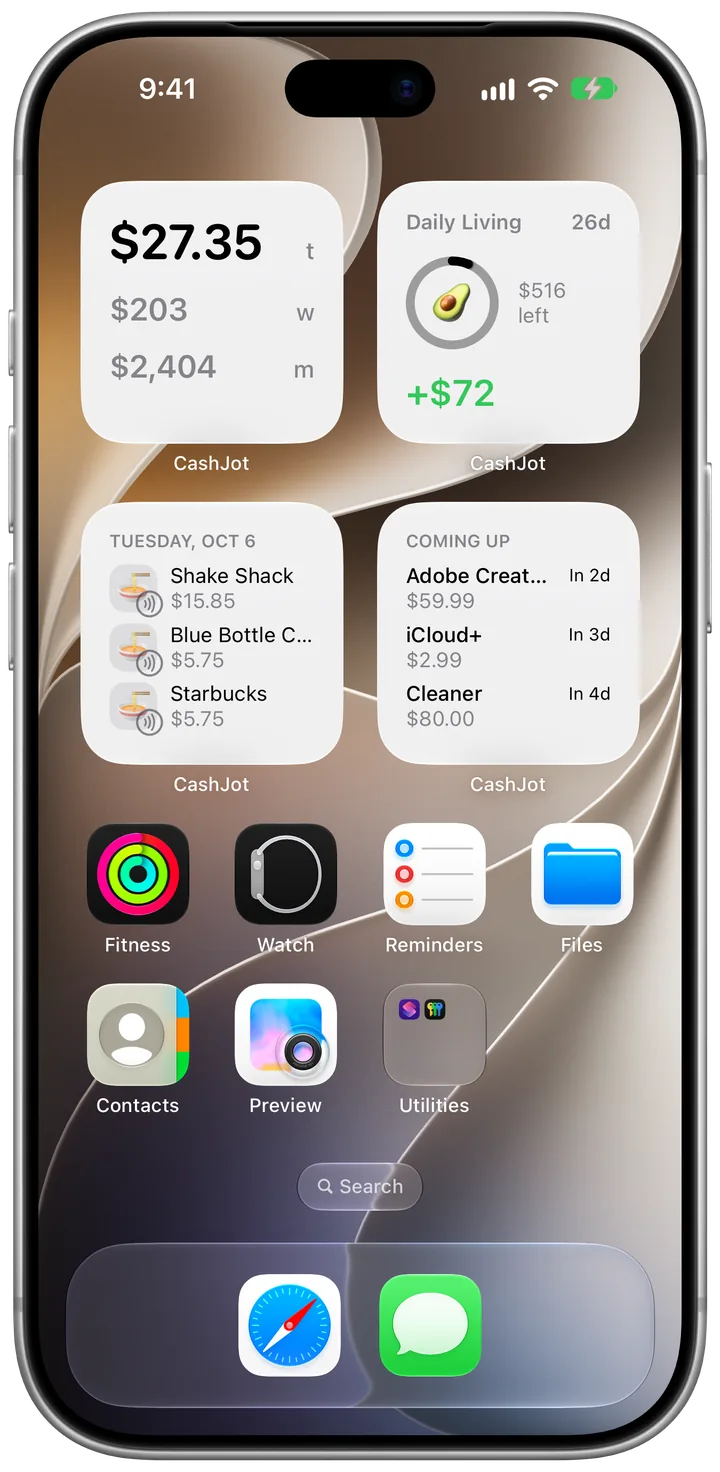
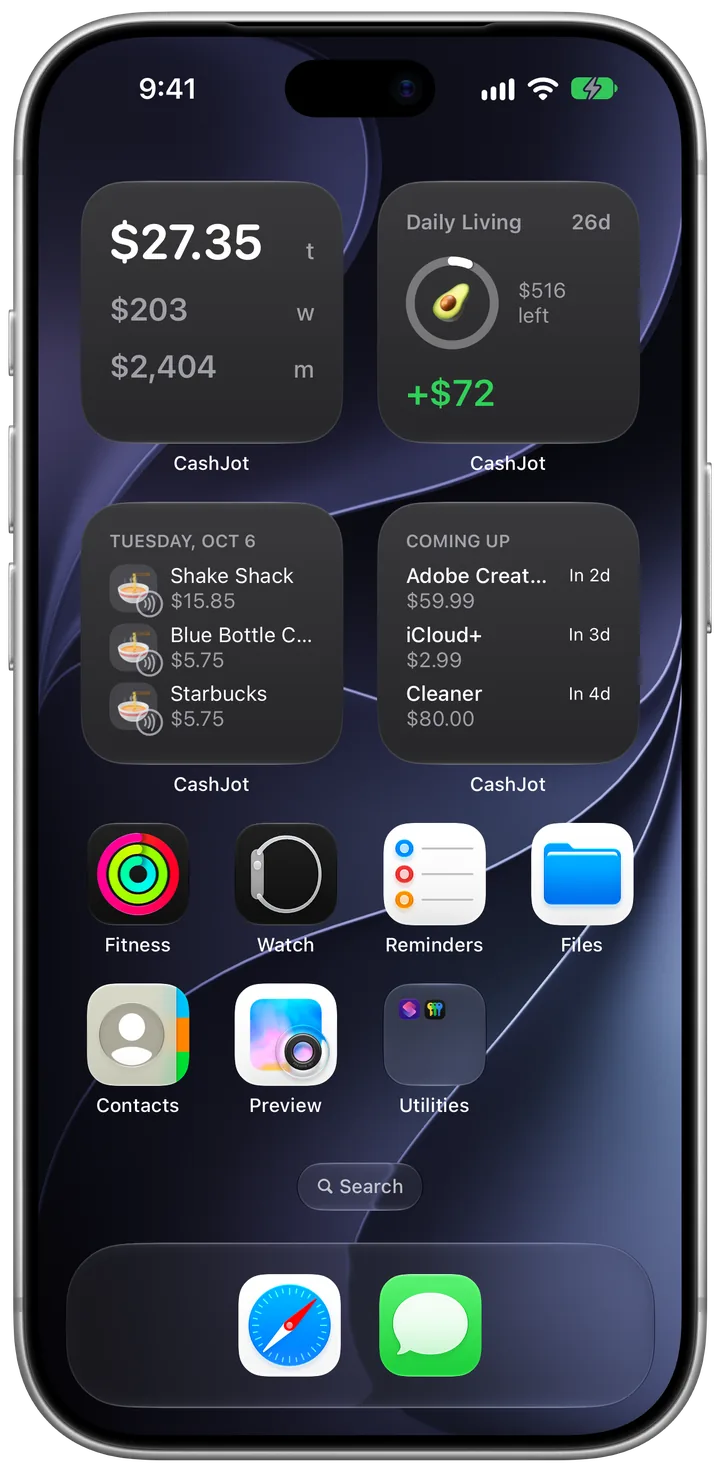
When today's total sits on your screen, you don't have to remember to check the app. Add a spending widget to your Home Screen so today's spending sits right next to the apps you open every hour, or put one on your Lock Screen so you see it whenever you pick up your iPhone.
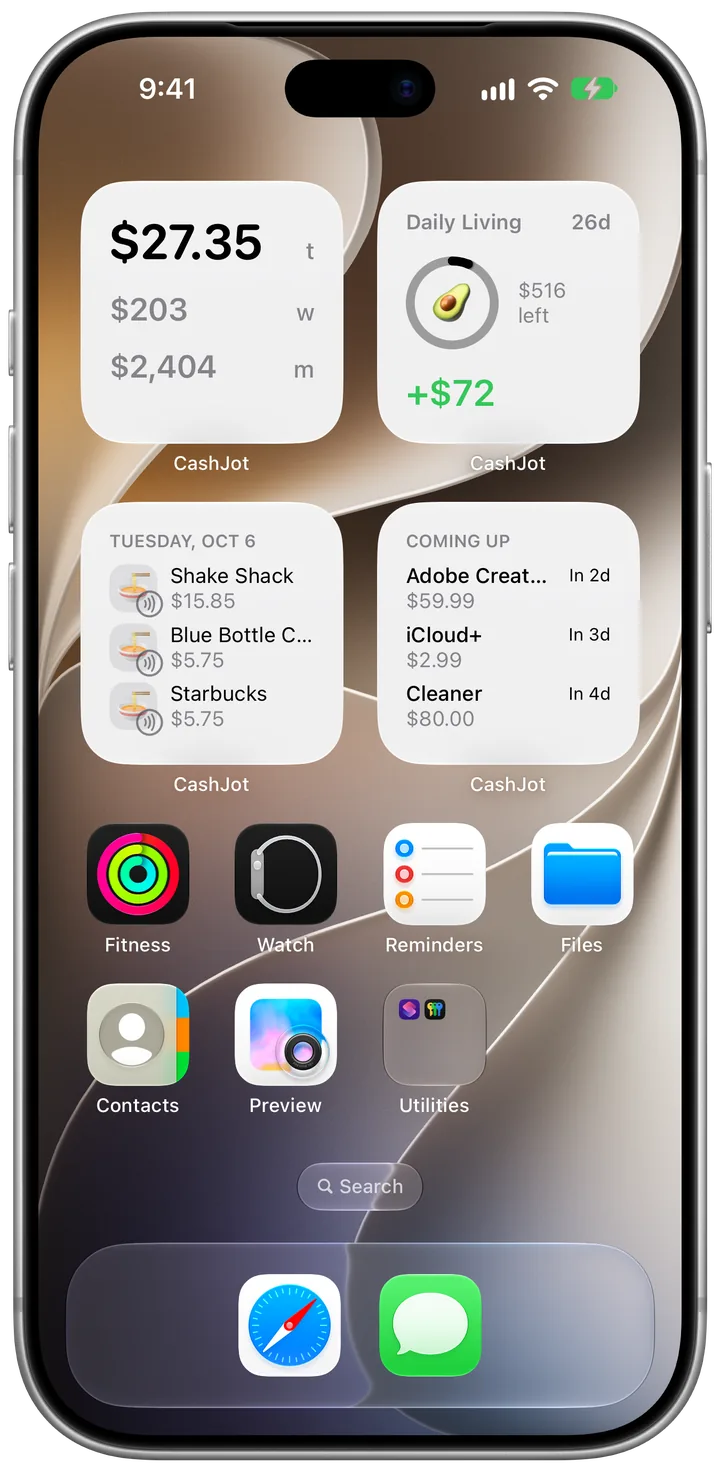
The widget also catches forgotten purchases early. If the total still reads $0 at lunchtime, that morning coffee is fresh enough in your head to add in two seconds.
Cut each entry to one action at the counter#
Every extra tap between paying and saving is a chance to lose the thread. You can open CashJot straight to the number pad in one move:
- Back Tap: double-tap the back of your iPhone. Our Back Tap guide sets it up in a minute.
- Action Button: on iPhones with an Action Button, assign CashJot's Open Log shortcut to it.
- Siri: say "Log an expense in CashJot".
For things you buy all the time, like the same morning coffee or bus fare, save the item to Favorites once and log it next time with a single tap.
It also helps to pair the shortcut with a physical habit you already have: "When I slip my phone back into my pocket after paying, I double-tap the back." Psychologists call this an "if-then" plan, and studies show it helps people with ADHD act on intentions without stopping to think (Gawrilow and Gollwitzer, 2008).
Let Apple Pay taps arrive without remembering#
For in-store Apple Pay purchases, you don't even have to remember at the counter. A Wallet automation in Apple's Shortcuts app sends the amount, merchant, and card straight to CashJot on your iPhone, with no bank login required.
With CashJot Plus, every tap logs itself automatically. On the free plan, taps appear in Captures, a list of what you paid to log by hand whenever you next look at your phone. The Apple Pay automation guide walks through the two-minute setup.
Online orders and cash still take a quick manual entry, which is where the widget and Back Tap come in.
Take recurring bills off your mental to-do list#
Rent, phone plans, and subscriptions hit on predictable dates, so there is no reason to rely on memory for them. Add each bill once as a recurring expense, and CashJot records every payment on its due date.
If you want a heads-up before money leaves your account, turn on Bill Reminders (part of CashJot Plus) for a notification on the day or up to a week ahead. Our subscriptions guide shows how to set it up.
A missed day doesn't undo the habit#
Missing a few days feels like failure, and that all-or-nothing feeling kills more tracking habits than the gap itself. In a classic study on how people build daily habits, missing a single day barely affected whether the habit stuck (Lally et al., European Journal of Social Psychology, 2010). Across participants, reaching an automatic routine took anywhere from 18 to 254 days, with a median of 66 days.
If you forget for a week, just log today's next coffee and leave the blank week alone. Digging through old bank statements to rebuild last Tuesday turns a two-second habit into a dreaded chore. CashJot has no streaks to break, so a gap is nothing more than a few quiet days on the calendar.
Bank-linked apps make restarting harder: they keep importing while you're gone, greeting you with dozens of uncategorized transactions when you return. If that backlog is what made you quit before, manual entry is often much kinder.
Keep categories few#
Every category is a small decision at the checkout counter. Start with three or four broad categories, or skip categories altogether until you actually want a breakdown. "Food" answers almost every question you'll have in month one. "Lunch with coworkers" can wait.
Add a budget only after you see your real baseline#
After a few weeks of casual logging, your calendar and monthly totals will show what a normal week actually costs. That gives a budget a real number to work from instead of wishful thinking.
When you're ready, Which budgeting method fits your life? compares the main approaches by how much upkeep they ask for. In CashJot, budgets are part of CashJot Plus and show whether you're under or over your daily pace through the month.
Frequently asked questions#
Is there a budgeting app designed for ADHD?#
Some apps market themselves around ADHD, though no app treats the condition. Look for practical traits that ask less of working memory: one-action entry at the counter, a Home or Lock Screen widget that keeps today's total visible, and zero punishment when you miss a few days. CashJot isn't built specifically as an ADHD app, but it was designed around those exact habits.
Should I link my bank account so I don't have to remember?#
Bank sync removes the need to log at the register, but it replaces it with an administrative review queue, delayed imports, and broken bank connections. What really happens when you link a budgeting app to your bank breaks down the trade-offs. If you prefer not to link your bank, Apple Pay automation still captures your in-store card taps on-device.
How long does it take for logging to become a habit?#
Longer than most "21-day habit" myths claim. In the Lally study, the median time for a daily action to feel automatic was 66 days, and occasional missed days didn't derail progress. Measure success by whether you logged today, not by an unbroken streak.
What should I do after forgetting for a week or more?#
Log your next purchase today and move on. Don't backfill last week. The blank days stay blank, and your numbers are useful again starting right now.
Written by Pierre Teo, maker of CashJot.